Turning the Ulanzi TC001 Into a Proper Ambient Display With AWTRIX

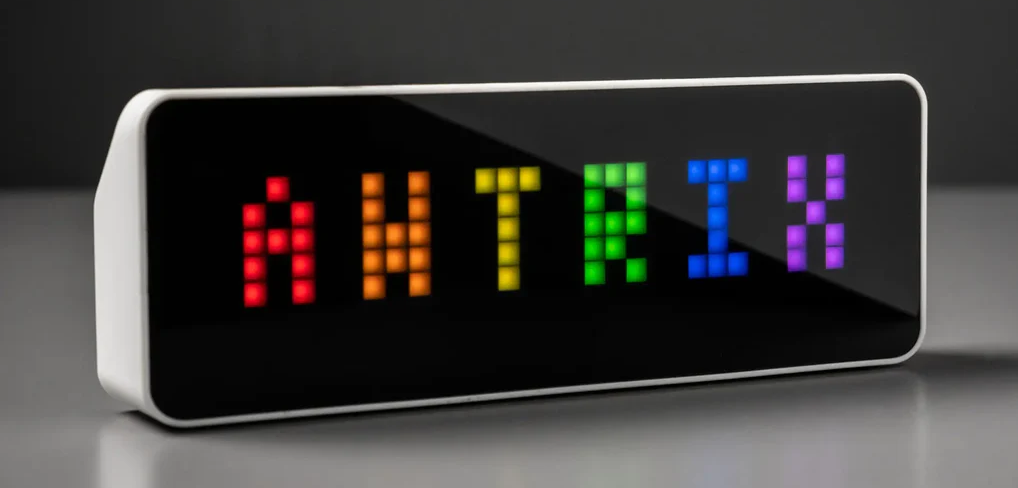
The Ulanzi TC001 looks like a simple LED desk clock, but under the hood it is an ESP32 matrix display with just enough capability to be interesting. Out of the box, the official firmware is extremely limited. With a bit of work, it can become something far more useful.
This post documents how I turned a TC001 into a clean, glanceable ambient display showing outside weather and Bitcoin price data using AWTRIX 3, a small Python script, and my home Debian server, which I refer to as blackbox.
This is not a smart home setup. No Home Assistant. No MQTT. No Docker. Just a device, a script, and a timer.
What the TC001 Can and Cannot Do Out of the Box
Out of the box, the TC001 firmware supports:
- Clock and date
- Alarms
- A few basic animations
- Temperature and humidity from the internal sensor only
There are important limitations:
- Weather is either unavailable outside China or unreliable
- No external weather APIs
- No crypto, stock, or custom data sources
- No scripting
- No meaningful control over layout or pacing
If all you want is a novelty clock, this is fine. If you want an ambient information display, the stock firmware is the limiting factor.
Why AWTRIX 3
AWTRIX 3 replaces the stock firmware and turns the TC001 into a small, network-addressable LED dashboard.
Key advantages:
- Simple HTTP API for pushing data
- Custom apps with per-screen duration
- Icon support
- Local network only, no cloud dependency
- Extremely stable once configured
Project documentation and installer:
https://blueforcer.github.io/awtrix3/
Flashing AWTRIX 3 Onto the TC001
The official flashing guide is here:
https://blueforcer.github.io/awtrix3/#/install
At a high level, the process is:
- Put the TC001 into flashing mode
- Flash AWTRIX 3 using the web flasher
- Power cycle the device
After flashing, the device boots into AP mode.
Default access details:
- SSID:
AWTRIX_xxxx - Password:
12345678
From there you configure:
- Your home Wi-Fi
- Timezone
- Brightness
- Device name
Once connected to your network, the TC001 displays its local IP address. That IP is what you use to push data to it.
Icons Are Not Installed by Default
AWTRIX ships with zero icons installed on many devices, including the TC001. Icons must be installed manually using the mobile app.
Steps:
- Install the AWTRIX mobile app
- Ensure your phone is on the same Wi-Fi network as the TC001
- Open the device in the app
- Go to Icons
- Install the icons you like and take note of their names
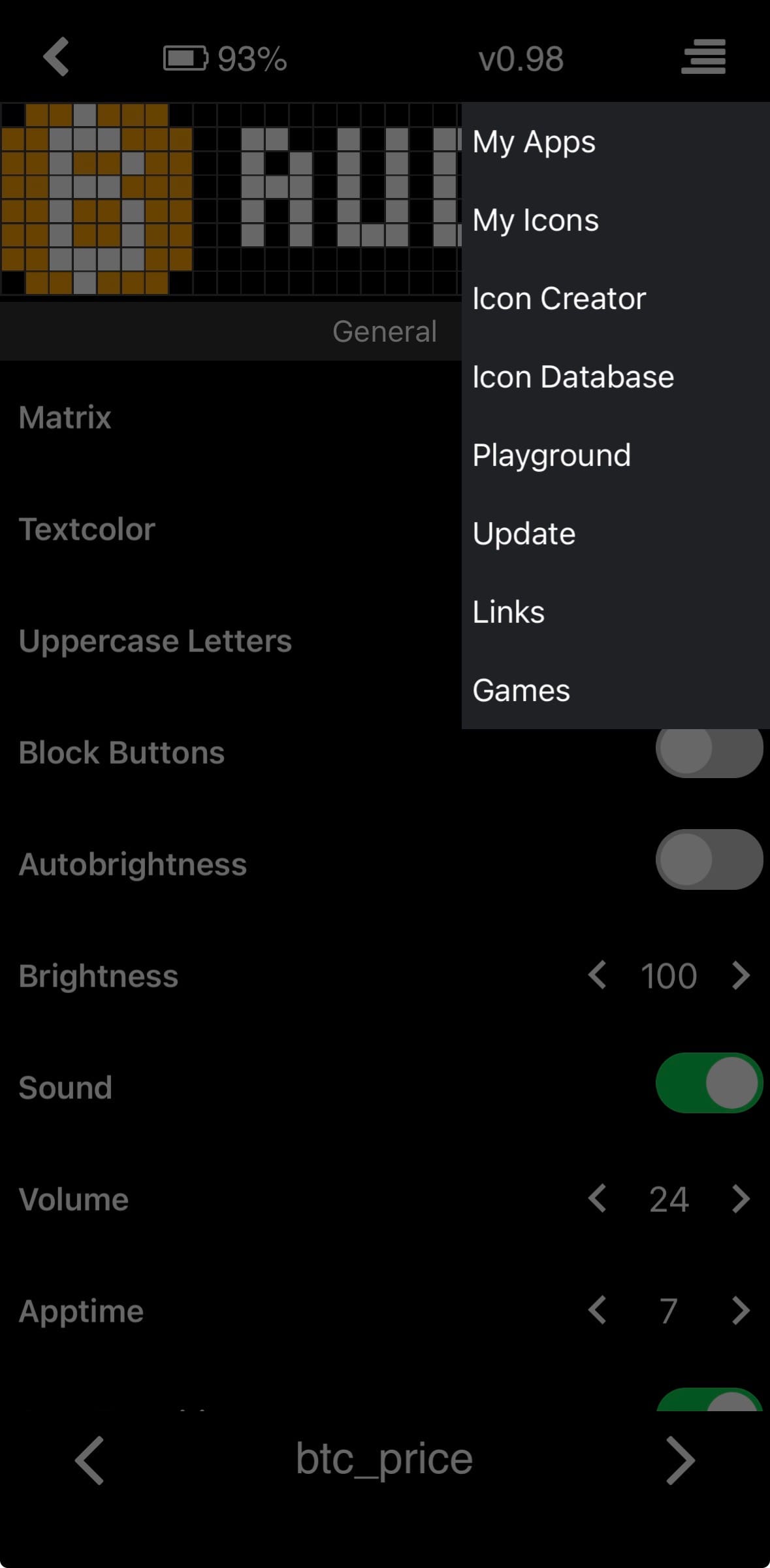
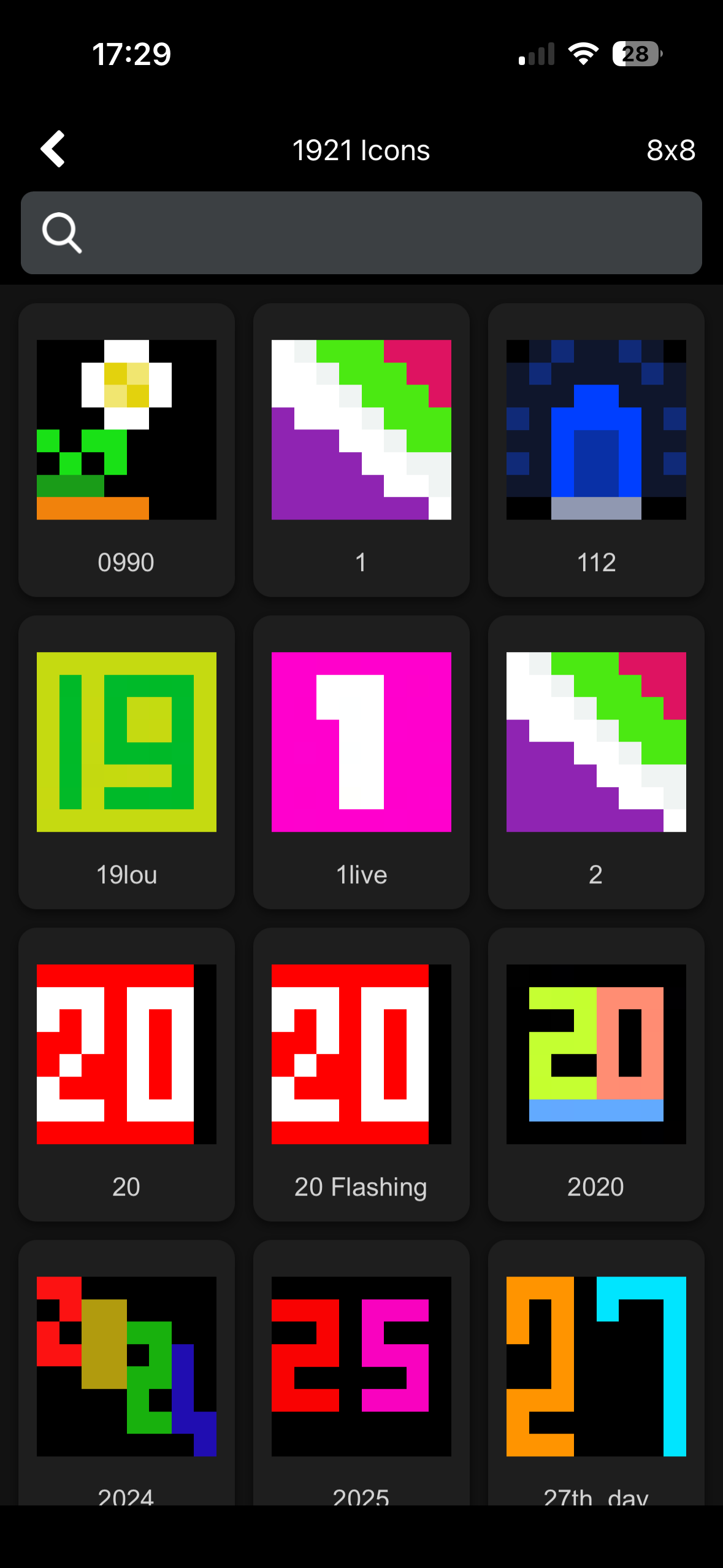
Once installed, icons appear by name rather than numeric ID. For example:
- ani_sun
- Rainy
- bitcoin
- bitcoinup
- humidity_
These names are referenced directly when pushing custom apps.
What I Wanted the Display to Show
The goal was a calm, glanceable display that could be read easily from across the room or from bed.
Weather screens:
- Current outside temperature
- Daily high temperature
- Daily low temperature
- Chance of rain
- Humidity
Bitcoin screens:
- Current price in AUD
- 24 hour percentage change
Each piece of information gets its own screen. No scrolling text. No dense multi-line displays.
Data Sources
Weather data is provided by OpenWeather:
https://openweathermap.org/api
The script uses the /weather and /forecast endpoints rather than the One Call API to avoid subscription limitations.
Bitcoin pricing data is provided by CoinGecko:
https://www.coingecko.com/en/api
The 24 hour percentage change is used rather than a midnight-based metric to avoid timezone ambiguity.
The Python Script
The TC001 does not pull data itself. Instead, a Python script running on my Debian server fetches data and pushes it to the device over HTTP.
This keeps the device simple and avoids running background services on the display itself.
#!/usr/bin/env python3
import os
import sys
import requests
from datetime import datetime, timezone

# ------------------
# Configuration via env
# ------------------
AWTRIX_IP = os.environ.get("AWTRIX_IP", "").strip()
OWM_KEY = os.environ.get("OWM_KEY", "").strip()

LAT = float(os.environ.get("OWM_LAT", "YOUR LAT"))
LON = float(os.environ.get("OWM_LON", "YOUR LON"))
BTC_CCY = os.environ.get("BTC_CCY", "aud").strip().lower()

TIMEOUT = 10

# Screen durations (seconds)
D_MAIN = 12      # normal screens
D_HILO = 6       # hi and lo screens (2 × 6s = 12s total)

# Brightness levels
BRI_DAY = 120
BRI_NIGHT = 5

# Day/night buffer (seconds)
SUN_BUFFER = 15 * 60

# ------------------
# Helpers
# ------------------
def die(msg):
    print(msg, file=sys.stderr)
    sys.exit(2)

def post_custom(name, payload):
    r = requests.post(
        f"http://{AWTRIX_IP}/api/custom",
        params={"name": name},
        json=payload,
        timeout=TIMEOUT,
    )
    r.raise_for_status()

def get_settings():
    r = requests.get(f"http://{AWTRIX_IP}/api/settings", timeout=TIMEOUT)
    r.raise_for_status()
    return r.json()

def set_brightness(level):
    # AWTRIX expects BRI in /api/settings
    r = requests.post(
        f"http://{AWTRIX_IP}/api/settings",
        json={"BRI": int(level)},
        timeout=TIMEOUT,
    )
    r.raise_for_status()

# ------------------
# OpenWeather
# ------------------
def owm_current():
    r = requests.get(
        "https://api.openweathermap.org/data/2.5/weather",
        params={"lat": LAT, "lon": LON, "appid": OWM_KEY, "units": "metric"},
        timeout=TIMEOUT,
    )
    r.raise_for_status()
    return r.json()

def owm_forecast():
    r = requests.get(
        "https://api.openweathermap.org/data/2.5/forecast",
        params={"lat": LAT, "lon": LON, "appid": OWM_KEY, "units": "metric"},
        timeout=TIMEOUT,
    )
    r.raise_for_status()
    return r.json()

def utc_to_local_date(ts, offset):
    return datetime.fromtimestamp(ts + offset, tz=timezone.utc).date()

def derive_today(cur, fc):
    tz = int(cur.get("timezone", 0))
    today = utc_to_local_date(cur["dt"], tz)

    temps = []
    pops = []

    for item in fc["list"]:
        if utc_to_local_date(item["dt"], tz) != today:
            continue
        temps.append(item["main"]["temp"])
        if "pop" in item:
            pops.append(item["pop"])

    hi = round(max(temps)) if temps else round(cur["main"]["temp_max"])
    lo = round(min(temps)) if temps else round(cur["main"]["temp_min"])
    pop = round(max(pops) * 100) if pops else 0

    return hi, lo, pop

def is_daytime(cur):
    """
    Astronomical day/night using OpenWeather sunrise/sunset with a buffer.
    Uses OWM timestamps so it stays correct even if the server clock is off.
    """
    now_ts = int(cur["dt"])
    sunrise = int(cur["sys"]["sunrise"]) + SUN_BUFFER
    sunset = int(cur["sys"]["sunset"]) - SUN_BUFFER

    # Guard against weird edge cases (very short days, etc.)
    if sunset <= sunrise:
        return True

    return sunrise <= now_ts < sunset

def weather_icon(cur):
    code = cur["weather"][0]["id"]
    day = is_daytime(cur)

    # Clear
    if code == 800:
        return "ani_sun" if day else "clearnight"

    # Few/scattered/broken clouds
    if 801 <= code <= 803:
        return "PartlyCloudy" if day else "PartlyCloudyNighty"

    # Overcast
    if code == 804:
        return "Cloudy"

    # Thunderstorm
    if 200 <= code < 300:
        return "StormyRainy"

    # Drizzle/rain/snow/atmosphere all map to Rainy for now
    if 300 <= code < 600:
        return "Rainy"

    return "Cloudy"

# ------------------
# Bitcoin
# ------------------
def btc_price():
    r = requests.get(
        "https://api.coingecko.com/api/v3/simple/price",
        params={"ids": "bitcoin", "vs_currencies": BTC_CCY, "include_24hr_change": "true"},
        timeout=TIMEOUT,
    )
    r.raise_for_status()
    b = r.json()["bitcoin"]
    return float(b[BTC_CCY]), float(b.get(f"{BTC_CCY}_24h_change", 0.0))

# ------------------
# Main
# ------------------
def main():
    if not AWTRIX_IP or not OWM_KEY:
        die("Missing AWTRIX_IP or OWM_KEY")

    cur = owm_current()
    fc = owm_forecast()

    # Brightness based on astronomical day/night
    day = is_daytime(cur)
    target_bri = BRI_DAY if day else BRI_NIGHT

    try:
        current_settings = get_settings()
        current_bri = int(current_settings.get("BRI", -1))
    except Exception:
        # If settings fetch fails, still proceed with content updates
        current_bri = -1

    if current_bri != target_bri:
        try:
            set_brightness(target_bri)
        except Exception:
            # Brightness failure should not break content updates
            pass

    temp_now = round(cur["main"]["temp"])
    humidity = round(cur["main"]["humidity"])
    hi, lo, pop = derive_today(cur, fc)

    # ---- Weather screens ----
    post_custom("wx_now", {
        "text": f"{temp_now}°",
        "icon": weather_icon(cur),
        "duration": D_MAIN,
    })

    post_custom("wx_hi", {
        "text": f"H {hi}°",
        "icon": "tempcelsiushot5of6",
        "duration": D_HILO,
    })

    post_custom("wx_lo", {
        "text": f"L {lo}°",
        "icon": "tempcelsiuscold3of6",
        "duration": D_HILO,
    })

    post_custom("wx_rain", {
        "text": f"{pop}%",
        "icon": "Rainy",
        "duration": D_MAIN,
    })

    post_custom("wx_humidity", {
        "text": f"{humidity}%",
        "icon": "humidity_",
        "duration": D_MAIN,
    })

    # ---- BTC screens ----
    price, chg = btc_price()
    if chg > 0:
        btc_icon = "bitcoinup"
    elif chg < 0:
        btc_icon = "bitcoindown"
    else:
        btc_icon = "bitcoin"

    post_custom("btc_price", {
        "text": f"{price:,.0f} {BTC_CCY.upper()}",
        "icon": "bitcoin",
        "duration": D_MAIN,
    })

    post_custom("btc_change", {
        "text": f"{chg:+.1f}%",
        "icon": btc_icon,
        "duration": D_MAIN,
    })

    print("OK")

if __name__ == "__main__":
    main()
Running It on Blackbox
The script runs on a Debian server using:
- A Python virtual environment
- The requests library
- A systemd user service and timer
A systemd timer executes the script every five minutes. If the TC001 or an API temporarily fails, the next run corrects it automatically.
There are no persistent connections and no long-running services.
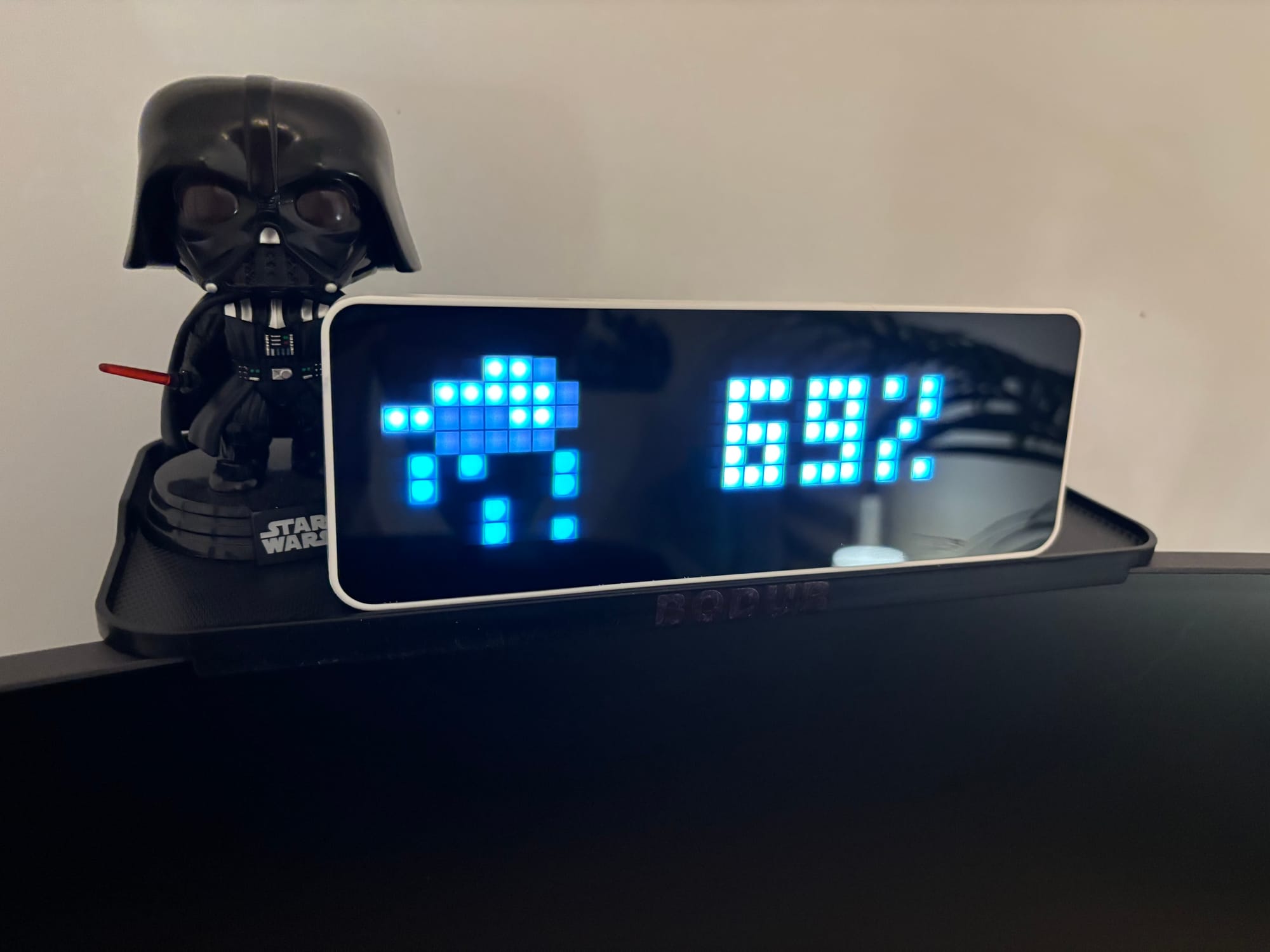
Final Result
The TC001 now behaves like a proper ambient display:
- No scrolling text
- No clutter
- Slow, readable transitions
- Information that is useful at a glance
This is what the hardware was capable of all along.
Next Steps
This setup can be extended easily:
- Bitcoin miner statistics
- Swarm totals
- Server health metrics
- Conditional screens based on weather or time of day
Once AWTRIX is in place, the device stops being a clock and starts being a canvas.